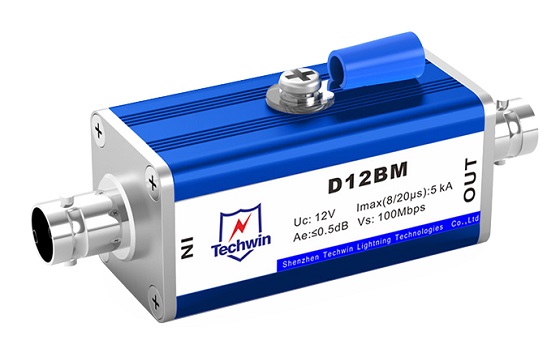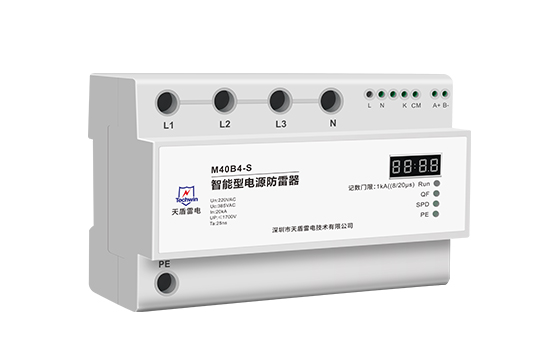

Techwin surge protective devices (SPDs) are designed to protect electrical equipment from power surges. Installing an SPD is essential to ensuring the safety and longevity of your devices. Here is a step-by-step guide on how to install a Techwin SPD.
1. Choose the right location: Select a suitable location near the electrical panel or equipment that needs protection. The SPD should be installed as close to the equipment as possible to maximize its effectiveness.
2. Turn off the power supply: Before installation, make sure to turn off the power supply to avoid any electrical accidents or damage to the equipment. This can usually be done by switching off the main circuit breaker.
3. Wire connection: Carefully connect the wires of the SPD to the power circuit. Follow the manufacturer's instructions and use appropriate tools for the job. Ensure that the wires are securely tightened to prevent loose connections.
4. Grounding: Proper grounding is essential for the SPD to function effectively. Connect the grounding wire of the SPD to a reliable and properly installed earth ground. This will divert any excess electrical current to the ground, protecting the equipment.
5. Mount the SPD: Install the Techwin SPD securely on the wall or electrical panel using the provided mounting brackets or screws. Ensure it is placed in a location that is easily accessible for future maintenance or replacements.
6. Reconnect the power supply: Once the installation is complete, turn the power supply back on and check that the equipment is functioning properly. It is recommended to test the SPD periodically to ensure its continued effectiveness.
Techwin surge protective devices offer a range of product parameters and features to suit different electrical systems. These include voltage rating, current capacity, response time, and the ability to handle different types of surges. With Techwin SPDs, you can rest assured that your devices are protected against power surges, voltage spikes, and electrical disturbances.
In conclusion, installing a Techwin surge protective device is a straightforward process that involves careful wire connections, proper grounding, and mounting. By following the manufacturer's instructions and considering the specific needs of your electrical system, you can safeguard your equipment and ensure its uninterrupted performance. Trust Techwin to provide reliable and efficient surge protection for your valuable devices.
 Signal Surge Protector: Safeguarding Electronic Systems Against LightningDecember 12, 2024The surge protector is an electronic device that provides safety protection for various electronic equipment, instruments, and communication lines. According to its use, it can be divided into power s...viewSurge Protector Safety TipsFebruary 29, 2024When it comes to protecting your electronics from harmful power surges, surge protectors are an essential tool. These devices help regulate the flow of electricity to your devices, preventing damage f...viewCharacteristics and applications of combination type surge protectorsMarch 25, 2024Combination type surge protection devices (SPDs) are advanced surge protection systems designed to provide enhanced protection against transient overvoltages and surges in electrical systems. They typ...viewIntroduction to Signal Surge Protector and Its Lightning Protection FunctionMarch 4, 2022A signal surge protector is a type of surge protection devices that is linked in series on a signal line to reduce transient over-voltages and deflect surge currents away from the signal line. Signal ...viewWhat Are the Experimental Requirements for the Leakage Current of the Surge Protector?August 10, 20221. The value of surge protector discharge current protection equipmentIn addition to the discharge current, the lightning protection capability also depends on the test waveform. The outdoor incoming ...viewLightning Protection Scheme for Drone Ground Control Station - Focus on SPD ConfigurationOctober 31, 20251.Core Principle: Zoning and Staged ProtectionThe Ground Control Station (GCS)—whether a fixed building, shelter, or vehicle—must be treated as a system requiring multi-layered protection. Adhering ...view
 EN
EN
 jp
jp  ko
ko  fr
fr  de
de  es
es  it
it  ru
ru  pt
pt  ar
ar  vi
vi  th
th  ro
ro  bg
bg  nl
nl